
Guidelines for Authors
Step 1: Registering
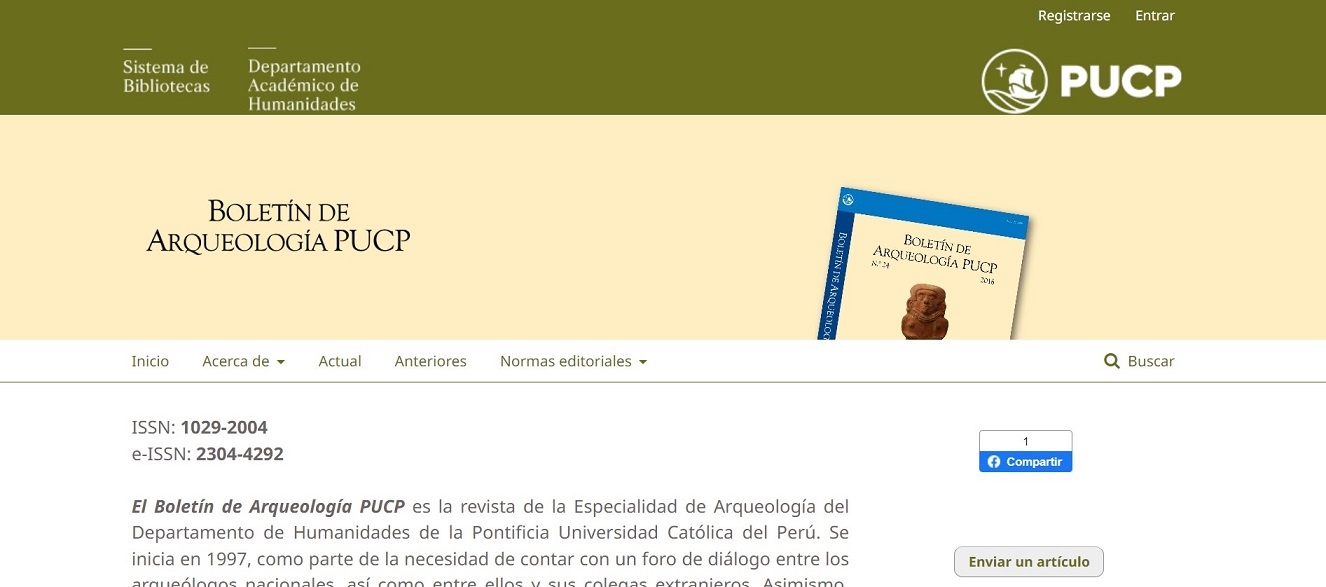
In order to submit a manuscript, one must register in the journal’s webpage by opening an account. To do so, you must go to the navigation bar on the upper right-hand corner and choose the “Register” option. Should you already have an account, click on “Submit an article”.
https://revistas.pucp.edu.pe/index.php/boletindearqueologia
In order to register, one must fill in the form with the information required below:
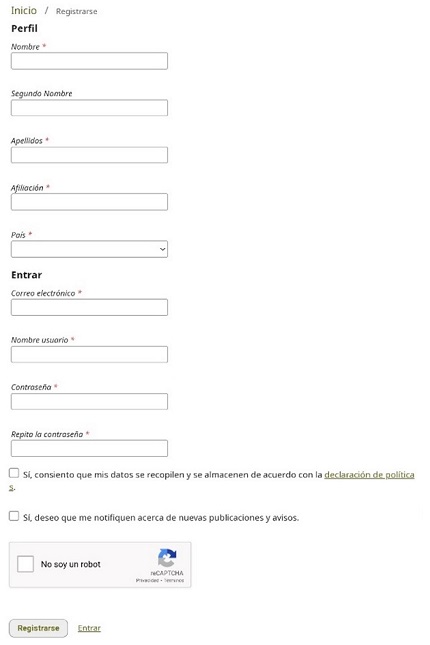
Click on “Register” once the information has been completed.
Step 2: Submitting manuscripts
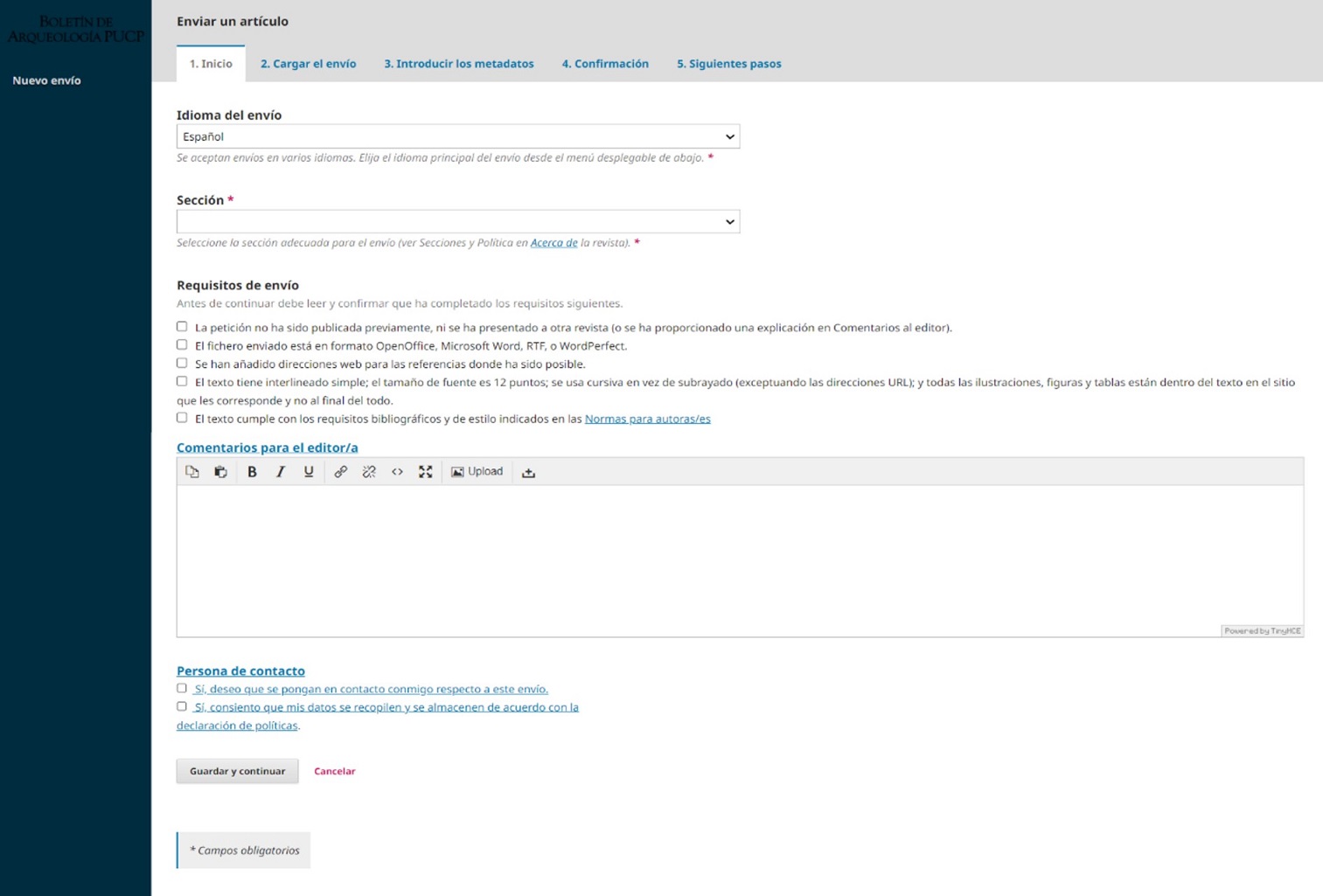
You must choose the manuscript’s language, then in what section the file will be published. You must confirm all of the submission’s requirements, and have the option to leave a comment for the editor. Finally, you must choose whether the journal is to get in contact with you, and whether your personal information can be recorded and stored.
Step 3: Uploading Files
In order to upload your manuscript to the platform, you must find the files you want to add in your PC. The files corresponding to the manuscript, the figures and the tables must ne uploaded separately.
Step 4: The Manuscript’s Metadata
You will have to introduce the metadata; here the full information required must be entered, for instance the article’s title and abstract, the author or authors and their individual data. Keywords must be separated by a comma. This step is required to complete the process.
Step 5: Confirmation
In this last step the information submitted can be reviewed and edited. When everything is ready click “Finalise submission”.
After the manuscript’s submission is complete, you will receive an email confirming the submission was successful.